

How is data protection managed in Koha LMS?
Last updated on: 18th June 2025| 14th May 2025 | Helen Symington | Koha
What is the difference between Data Protection and GDPR?
Data protection legislation controls how your personal information is used by organisations, including businesses and government departments.
In the UK, data protection is governed by the UK General Data Protection Regulation (UK GDPR) and the Data Protection Act 2018.
The UK’s data protection legislation
Anyone responsible for using personal data must make sure the information is:
- used fairly, lawfully and transparently
- used for specified, explicit purposes
- used in a way that is adequate, relevant and limited to only what is necessary
- accurate and, where necessary, kept up to date
- kept for no longer than is necessary
- handled in a way that ensures appropriate security, including protection against unlawful or unauthorised processing, access, loss, destruction or damage.
You may also want to look at the EU General Data Protection Regulation.
There is stronger legal protection for more sensitive information, such as:
- race
- ethnic background
- political opinions
- religious beliefs
- trade union membership
- genetics
- biometrics (where used for identification)
- health
- sex life or orientation
- There are separate safeguards for personal data relating to criminal convictions and offences.
Your rights
Under the legislation, you have rights in relation to your personal data, with some exceptions. These include the right to:
- be informed about how your data is being used
- access personal data
- have incorrect data updated
- have data erased
- stop or restrict the processing of your data
- data portability (allowing you to get and reuse your data for different services)
- object to how your data is processed in certain circumstances.
You also have rights when an organisation is using your personal data for:
- automated decision-making processes (without human involvement)
- profiling, for example to predict your behaviour or interests.
IFLA Statement on Privacy in the Library Environment (2015)
“Freedom of access to information and freedom of expression […] are essential concepts for the library and information profession. Privacy is integral to ensuring these rights.”
CILIP’s Ethical Framework
“As an ethical Information Professional I make a commitment to uphold, promote and defend:
[…] The confidentiality of information provided by clients or users and the right of all individuals to privacy”.
Questions to ask yourself:
Is it necessary?
How long should we keep it?
Gathering personal data
Staff:
- Borrower Mandatory Field – required fields when creating or editing patron accounts.
- BorrowerUnwantedField – hide fields that do not need to be filled in.
Users:
- PatronSelfRegistrationBorrowerMandatoryField self registration on the OPAC.
- PatronSelfRegistrationVerifyByEmail – patrons must verify their account by email.
Keeping personal data accurate
- OPACPatronDetails – patrons can notify the library of changes to their details via the OPAC:
- PatronSelfModificationBorrowerUnwantedField – what they can edit.
- PatronSelfModificationMandatoryField – what they must fill in.
OPAC Usage
System preferences
- EnableOpacSearchHistory – patron search history in the OPAC.
- OPACHoldsHistory – patrons to see the list of their past holds.
- Track Clicks – track which links in MARC field 856 or item URI a patron clicks on; track them an anonymously or don’t track at all.
Anonymise old circulation data
- AnonymousPatron – this will be used to replace the borrower data.
- batch_anonymise.pl cronjob – anonymise circulation data whilst retaining stats
or
- Manually anonymise circulation history using the Batch patron deletion and anonymization tool.
- Tip: run a report first!
Pseudonymize patron data while keeping useful transaction information for reporting
- Pseudonymized data is stored in database tables pseudonymized_transactions (for transactions and patron data) and pseudonymized_borrower_attributes (for patron attributes).
- No direct identifiers for the patron are recorded; the pseudonymized_transactions table uses an encrypted version of the borrowernumber.
PseudonymizationPatronFields and PseudonymizationTransactionFields:
- choose the data you want to retain.
- Tip: only select what you really need.
Data deletion
Set up Batch delete patrons and Clean up database scripts on your server to delete automatically:
- Library members’ expired accounts
- Deleted accounts
- From current accounts:
- Older reservations information
- Older issues
- Older notices sent
- Older transactions
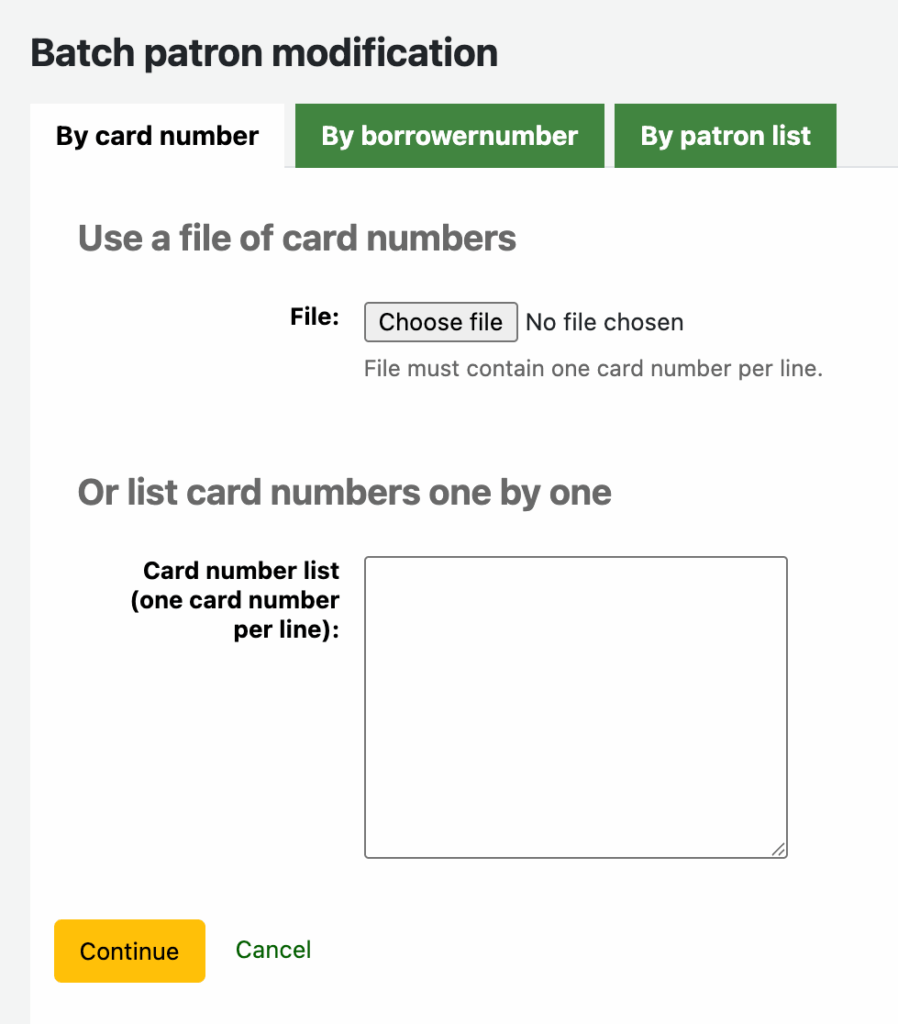
- Reports and Batch patron modification tool
Who should have access?
- Staff with either superlibrarian or catalogue + borrowers permissions can login and view personal data held in the system.
- The Patrons with Staff Permissions report identifies who currently has staff permissions.
- Make sure to update or delete users who do not need access anymore.
Passwords
- minPasswordLength – set minimum password length.
- RequireStrongPassword – force password to include at least one number, one lower case and one upper case letters.
- FailedLoginAttempts – block a user after a wrong password was entered a specified number of times.
- NotifyPasswordChange – notify a user whenever their password has been changed.
Additional security for staff logins
- Restrict staff access by IP range
- SessionRestrictionByIP
- StaffLoginLibraryBasedOnIP
- StaffLoginRestrictLibraryByIP
- TwoFactorAuthentication – staff will have to generate a one-time password through an authenticator app every time they need to log into the staff interface.