

What’s on our mind: Two exciting new features coming to Koha LMS
Last updated on: 24th December 2025| 12th November 2025 | Jacob O’Mara | Koha
In this week’s ‘What’s on our mind’ post, Jacob O’Mara is pleased to share updates on two significant enhancements currently making their way through the Koha community QA process. Once approved and merged into the main codebase, both features will be backported for Open Fifth customers.
Restore Deleted Records
Have you ever accidentally deleted a bibliographic record or item and wished you could get it back? This new feature provides a safety net for cataloguers.
When records or items are deleted in Koha, they’re not immediately gone forever. Instead, they’re moved to a holding area. With this new functionality, authorised staff members will be able to browse through deleted records and items, filter them by date, and restore them back into the active catalog with just a few clicks.
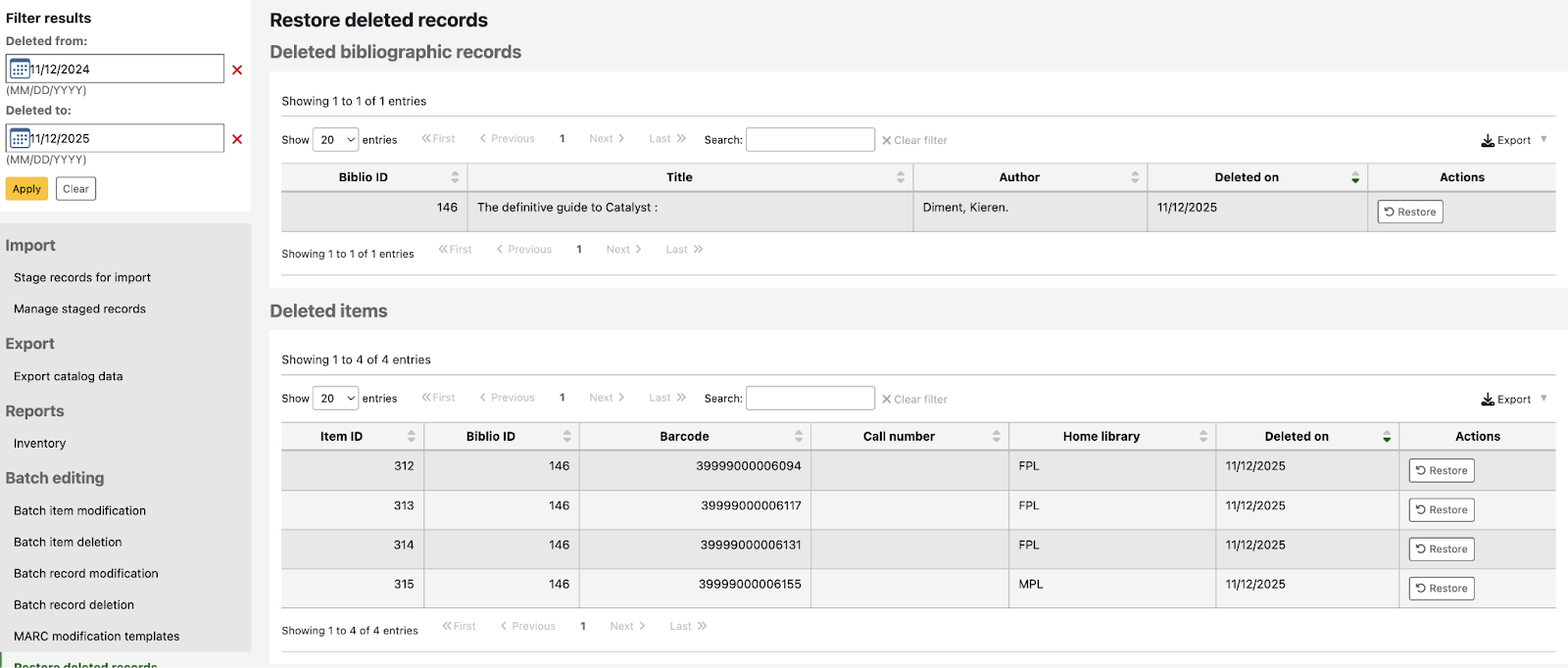
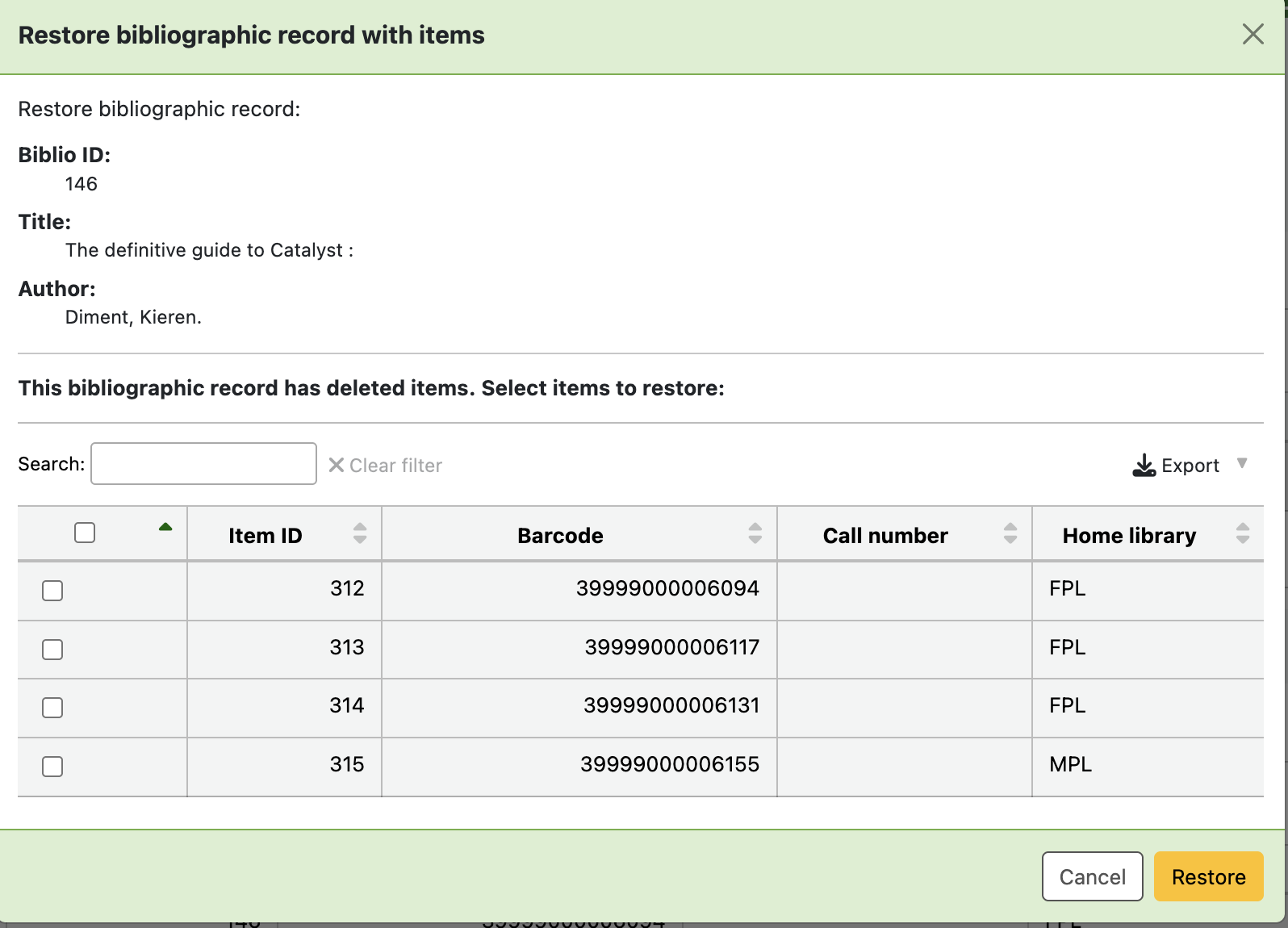
The system is smart about dependencies too. For example, if you try to restore an item whose parent bibliographic record has also been deleted, you’ll see a warning and have the option to restore the parent record first. When restoring a bibliographic record that has multiple deleted items attached to it, you can select which specific items you want to restore along with it.
This feature includes proper permission controls, so library administrators can decide which staff members have the ability to restore deleted records. Every restoration action is also logged, providing a clear audit trail of what was restored and by whom.
Enhanced Password Security
Security is increasingly important for library systems, and this enhancement brings Koha’s password management in line with modern security best practices.
The new password history feature prevents patrons from reusing their recent passwords when they change them. Library administrators can now configure how many previous passwords the system should remember and prevent from being reused. This setting can be applied system-wide from the sys-prefs page or customised for different patron categories.

For example, you might require staff accounts to have stricter password reuse policies than general patron accounts. If a patron has a 30-day membership and changes their password every 5 days, you could set the system to remember their last 6 passwords, effectively requiring they use unique passwords throughout their membership period.
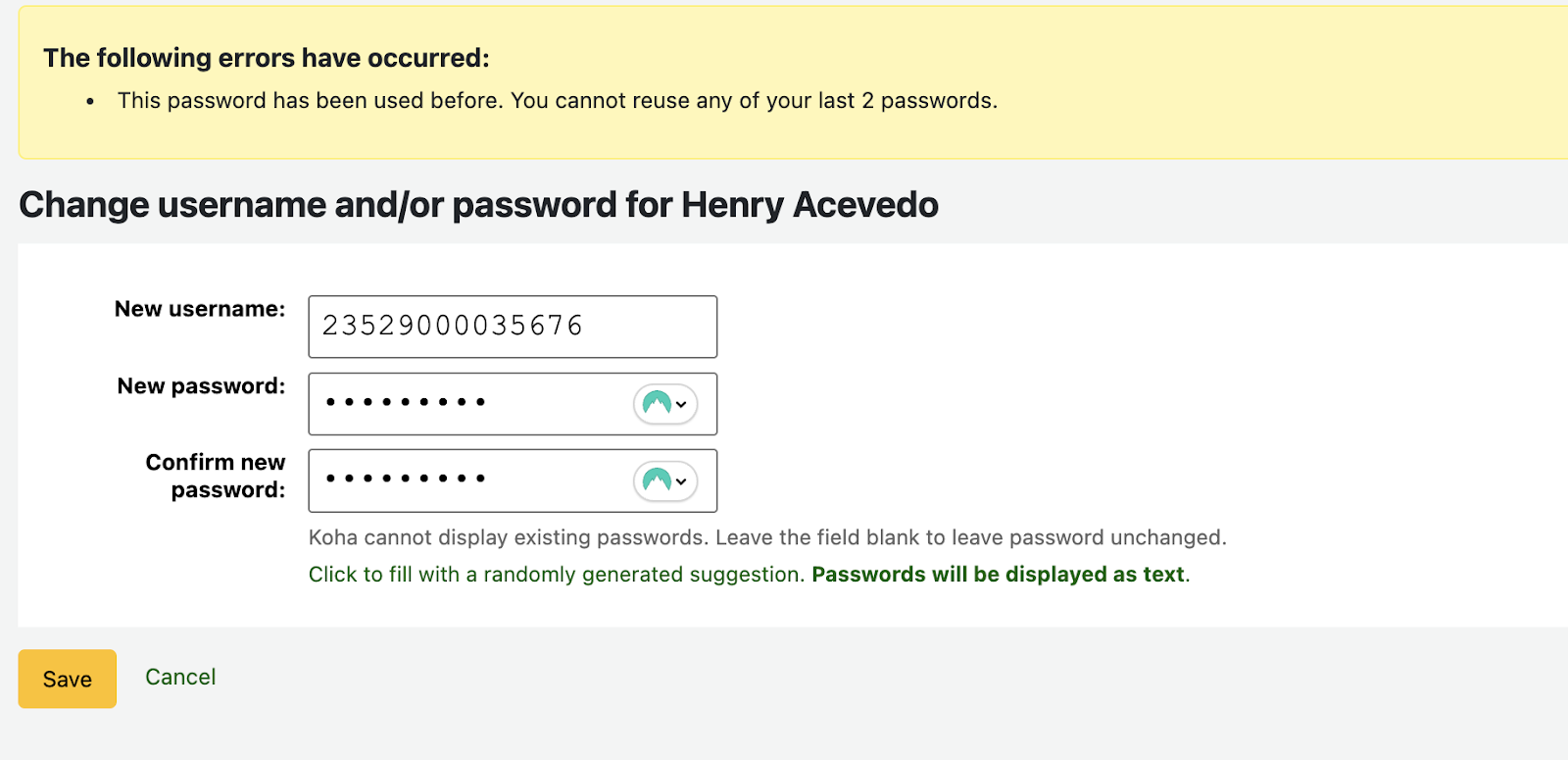
When a patron attempts to use a password they’ve used before, they’ll receive a clear error message letting them know how many recent passwords are being tracked and that they need to choose something different. This applies whether patrons are changing their password themselves through the online catalog or when staff members update passwords on their behalf.
What’s Next?
Both features are currently working through the Koha community review process, where they’re being tested and refined by developers and librarians from around the world. Once approved, they’ll be merged into the main Koha codebase and made available to Open Fifth customers through our backporting process.
We’re excited about these improvements and the enhanced functionality and security they bring to Koha. Stay tuned for updates as these features move closer to release!
Featured image: Cyathea dealbata by Krzysztof Ziarnek, Kenraiz published under the Creative Commons Attribution-Share Alike 4.0 International license
(Source: Wikimedia Commons)