

Koha LMS for academic libraries
Last updated on: 5th May 2026| 19th March 2026 | Sam Goldsmith | Koha
Koha is an open source library management system (LMS) used by over 18,000 libraries globally across all sectors. In this webinar, Sam Goldsmith, account manager for our university, college and school libraries as well as an experienced former college librarian, shows how the system can be used to assist library team workflows, support academic research and resource access.
About Koha LMS
Koha is world’s most widely used open source LMS. As open source software, there are no licence-fees or vendor lock-in. Libraries can choose whether they want to self-host their systems or work with a company for hosting and support.
Development and maintenance of the software is undertaken by over 40 service companies worldwide, including Open Fifth, as well as committed libraries, individual contributors and testers who collectively form the Koha community.
As an open source system with a committed community, you can also get involved and shape the development of Koha to meet your specific needs, with software developments shared back to all Koha libraries.
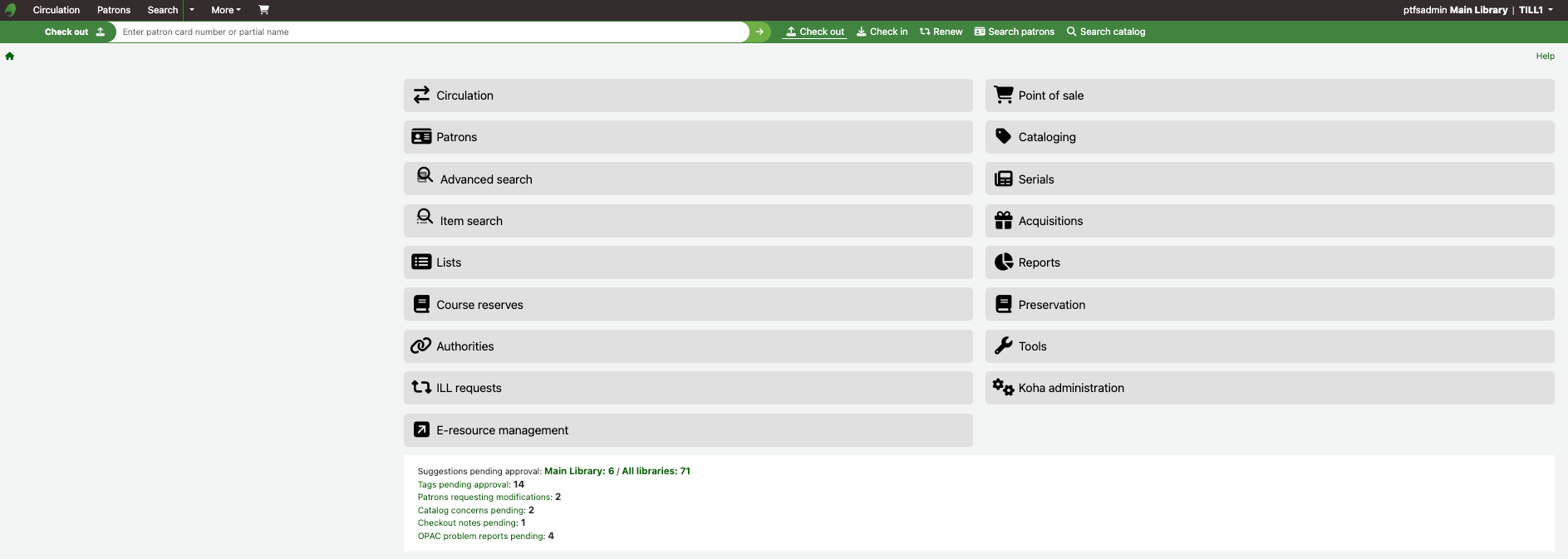
Koha LMS features
- Scalable, fully featured library system that suits libraries of all sizes and sectors.
- User-driven, with requirements for new features and enhancements coming from libraries that use it.
- Stable, lightweight web-based system on both the staff and user sides, responsive across device types.
- Easy to use with intuitive navigation.
- Highly customisable appearance with consistent display configurations.
- Administration requires little or no IT involvement when choosing a hosted solution with Open Fifth. We’ll implement your data migration, system integrations and updates.
- Minimal downtime for upgrades.
- In-depth online help available from the Koha community, public resources from Open Fifth and other organisations.
- Accessible on both staff and user interfaces.
- GDPR compliance is supported, with options for data auto-deletion as well as data anonymisation and pseudonymisation.
- Supports multi-factor authentication (MFA) for secure account access.
Koha LMS for public libraries
The digital front door
The Koha OPAC is highly customisable and can be designed to meet your institutional branding and student needs. It is very easy to create and amend your OPAC, from a simple homepage you can add detailed pages for induction materials, referencing guides, subject lists, suggestions, or even VR tours, all from one handy library interface.
Koha LMS integrations
No LMS is an island, there can be many systems or services that it needs to talk’ to across your institution’s services and students may access library services via a discovery layer, library website or VLE. As open source software, Koha is API-first and integrates fully with third-party suppliers with extensive hardware and software options available.
Through its REST APIs, Koha pushes real-time availability to connected portals. Koha is able to fully integrate with TDNet and EDS, so students and staff can check on their loans and place holds, etc. via the discovery layer.
For libraries working with Open Fifth, we are experienced in implementing a wide variety of integrations and will support you in setting up integrations during migration.
Here are some of the software integration options available:
-
- Self-issue terminals
- Entry gates
- Import of patron data from registry system
- SMS notification sent via SMS gateway provider
- Online payments
- Discovery and knowledge bases
- Device loans
- Export and import scripts, e.g. JISC Discover and e-books for FE
- Single Sign On (Azure AD, Shibboleth, etc.)
- And more…
Koha is also able to handle more than one unique user number, managing both a printed barcoded student number and a student card chip for the same account.
As a lightweight, responsive web application, staff can be freed from the desk and take the service where it is needed, such as a learning zone or directly to the shelves for stock-take.
Managing electronic resources
Most academic library budgets go towards e-resources, and these licences can be very expensive so it’s important to ensure that usage is healthy. Traditionally, managing e-resource licences meant a separate set of spreadsheets, close administration, or an expensive software add-on. Koha offers a native electronic resource management module which can bring your agreements, licences and renewals directly into the staff client, with a customisable dashboard.
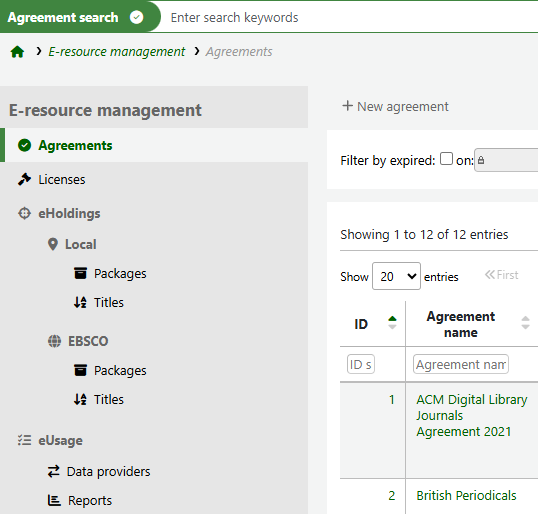
If you subscribe to EDS or TDNet Discover, you can also use the HoldingsIQ or TDNet’s own API connector to bring in your holdings and update changes automatically. This communication is tw0-way, with amendments updated in your holdings too.
This module also provides statistics via the publishers which can be scheduled to run periodically or on demand.
Most importantly, the ERM module comes free, and is under further development for valuable enhancements. This includes adding useful dashboards and links to acquisitions that will provide cost-per-use information for your holdings too.
If you’re an Open Fifth Koha customer, we’ll set up your authentication system so if an electronic subscription or e-book in the OPAC is clicked, it will seamlessly open for your students or staff.
We have a wealth of shared knowledge and experience in our support and academic user group, such as how to simplify the upload of the new Jisc e-books for FE and remove the previous year’s.
Cataloguing and adding stock
A great thing about Koha is its adaptability to the process, styles, needs and staffing levels of your academic library.
You can create a catalogue from scratch, using UKMARC, which may be useful if you internally produce research papers and articles, and so on. Alternatively, templates can be used for each item type, set up to indicate mandatory and desirable information. There is also a quick cataloguing template with the default mandatory fields.
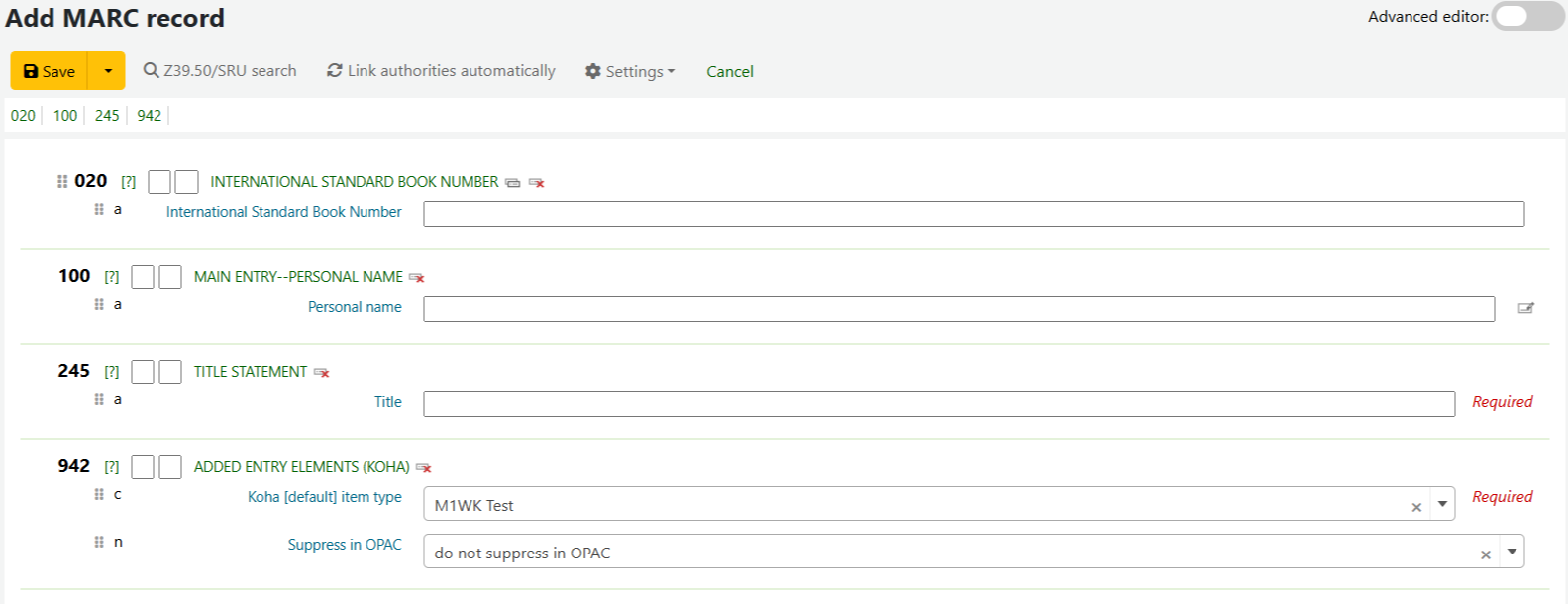
For the least administrative effort, there is an in-built Z39.50 linkage for retrieving shared record. Records can also be imported from your provider(s), either by an EDI link in acquisitions or through a very simple upload process. Templates can be set up by item types, including e-books, so the processing of stock from delivery to shelf is as simple for staff as possible.
Circulation and interlibrary loans
Academic libraries often have complex circulation rules, with distinct access needs and rules for undergraduates, PhD students, staff, external researches, alumni, or younger students for FE institutions. Due to Koha’s highly granular circulation matrix, it can handle hourly loans, group holds, and simple new rule creation.
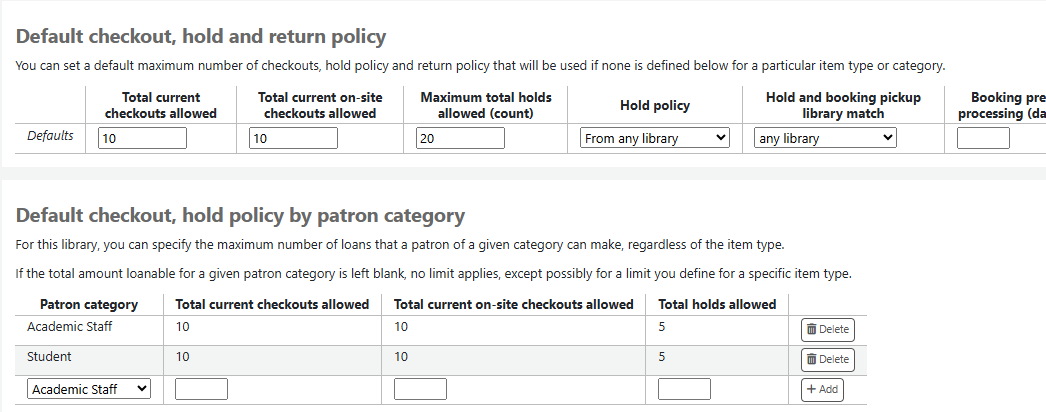
Automated renewals can be set up, with this function allowing for fixed return dates (e.g. the end of term) and preventing renewal when an item becomes reserved. Notices can be edited, for example ‘due soon’ instead of ‘overdue’, and automated alerts for holds awaiting collection.
There are also features to support the end of year processes, we’ve prepared useful guidelines for using batch processes to anonymise circulation data to safely clear user records whilst retaining usage statistics.
Collectively, these features greatly reduce staff administrative burden and makes circulations more efficient.
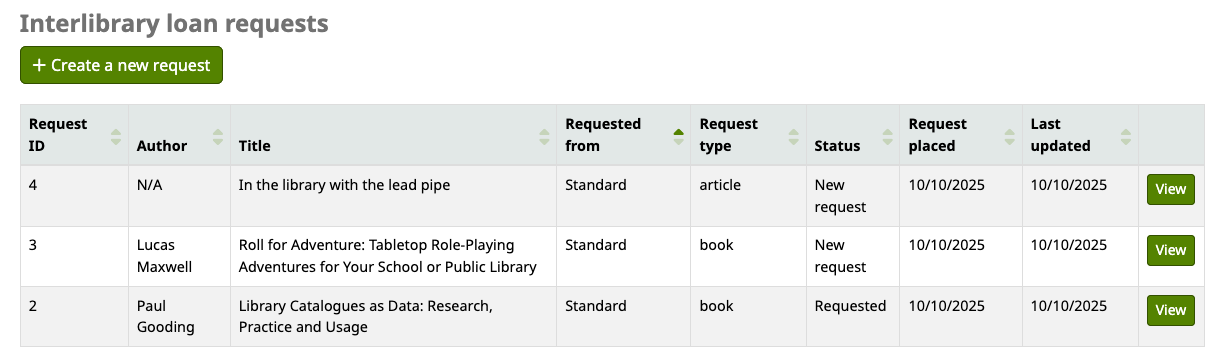
Koha has an in-built dedicated interlibrary loan module. Instead of managing ILLs through email and forms, you can track requests from the initial patron query through to return from the lending institution. The module is also used by lending institutions to keep track of their ILLs.
Proving service impact
Many academic libraries are regularly called upon to demonstrate the value they deliver, often through usage statistics, but also by spending, issues by student cohort, and by department.
Koha is unique in its native comprehensive reporting, allowing staff to report on any field of their choosing. As open source software, you are free to create and run your own reports. There’s a dashboard of frequently used stats and reports, a reports wizard to assist with creating new ones, and the ‘SQL Reports Library‘ contributed to by the global Koha library community. There’s also an external ChatGPT-based Koha Report Assistant trained on the reports library, the tool allows for query creation using natural language.
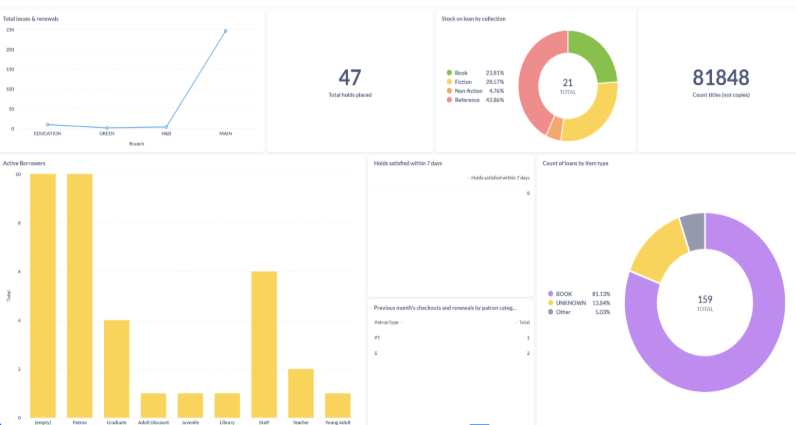
Koha integrates with other analytics platforms, such as the open source Metabase, or PowerBI. Through these, you can create impressive visuals showing student usage against achievement, or dashboards for SCONUL returns statistics, and much more. Reporting can be set up to send regular emails of performance indicators to your senior team.
The autonomy offered by Koha is unique amongst LMS products. Koha will grow with your institution, with no licences that rise with growing student numbers, resources or locations. Koha is also continuing to grow itself, with no paywalls blocking you from accessing all of its modules and new features.
To learn more about what Koha LMS and Open Fifth can do for your academic library, reach out to Sam Goldsmith ([email protected]).