
Use Koha’s Preferred Names in Aspen
Last updated on: 18th June 2025|12th June 2025 | Alexander Blanchard | Aspen Discovery
Koha LMS / ILS already lets you display a patron’s preferred name instead of their legal first name. Starting with version 25.06.00, Aspen will support this feature too – making your catalogue more inclusive and aligned with your patron data.
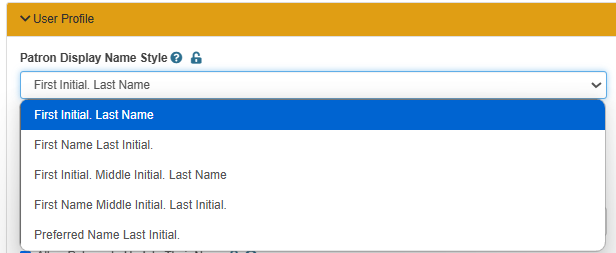
In order to use this new setting, navigate to Aspen Administration -> Primary Configuration -> Library Systems -> ILS Account Integration -> User Profile and select the new option in the dropdown, ‘Preferred Name Last Initial.’
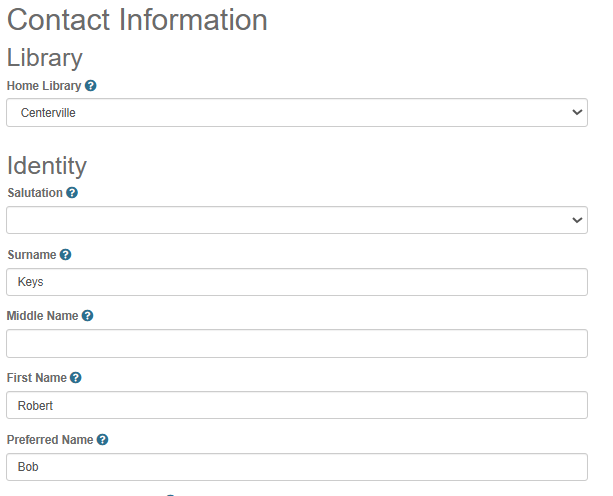
For libraries that allow patrons to update their name in Koha via Aspen, a patron’s preferred name can also be updated in the same way. In order to do this, patrons can navigate to My Account -> Contact Information and update the preferred name section of the form.